
Review Your Credit Analysis ScoreAI
You've ordered your credit reports and imported them into your Freedom Wealth account. Now, let's review your credit analysis with ScoreAI to help you improve your credit.
Step 1: Open ScoreAI
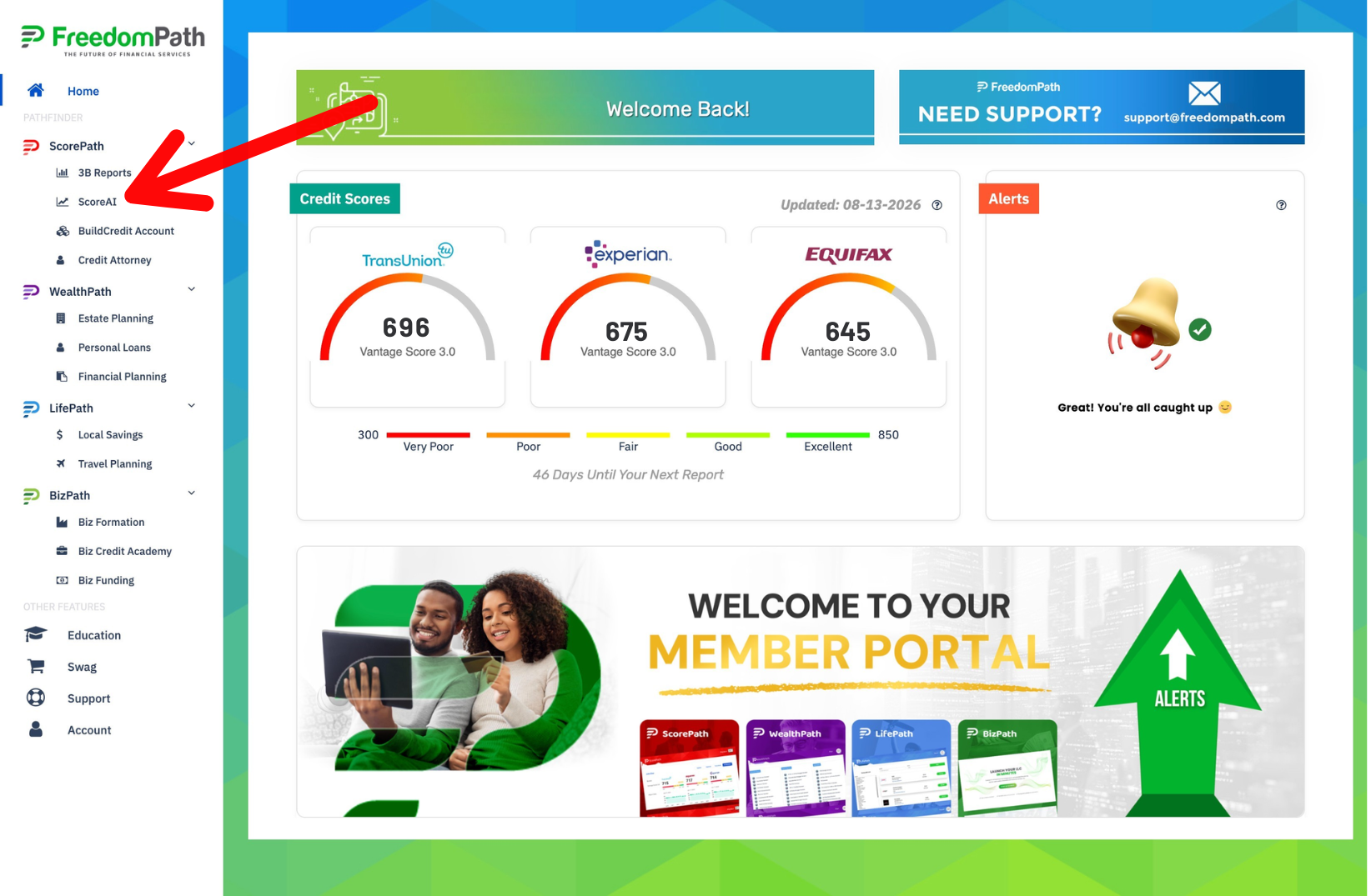
Log into your Freedom Path account and open the Freedom Wealth section.
Click ScoreAI in the menu to access your credit analysis.
ScoreAI will display information pulled from your credit reports, including accounts and negative items that may need your attention.
Take your time and review the information before selecting anything for a dispute.
Step 2: Review Your Credit Information
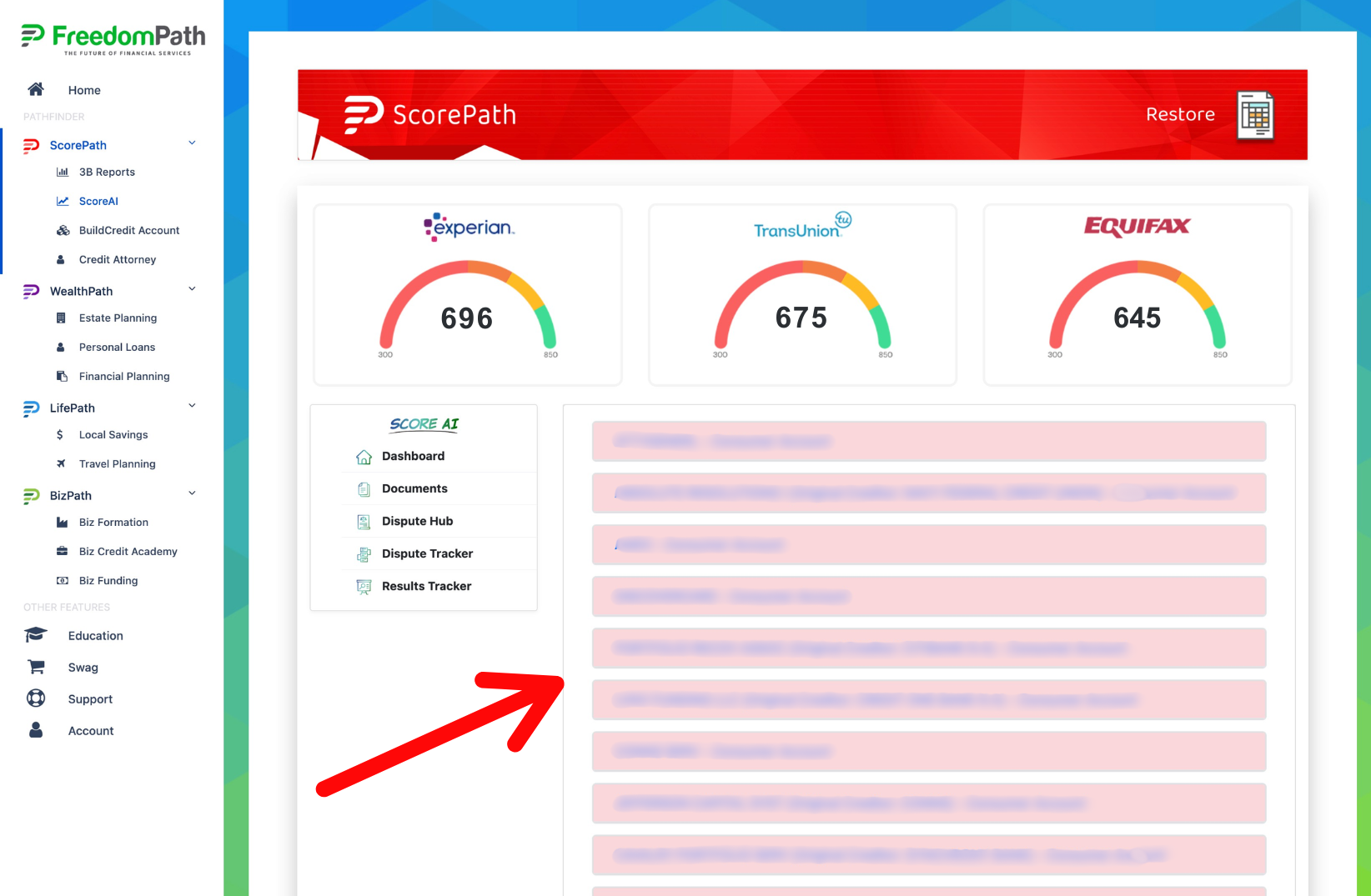
Carefully review the accounts and information displayed inside ScoreAI.
Look for information you believe may be:
- Inaccurate
- Incomplete
- Outdated
- Duplicated
- Not yours
- The result of fraud or identity theft
- Otherwise reported incorrectly
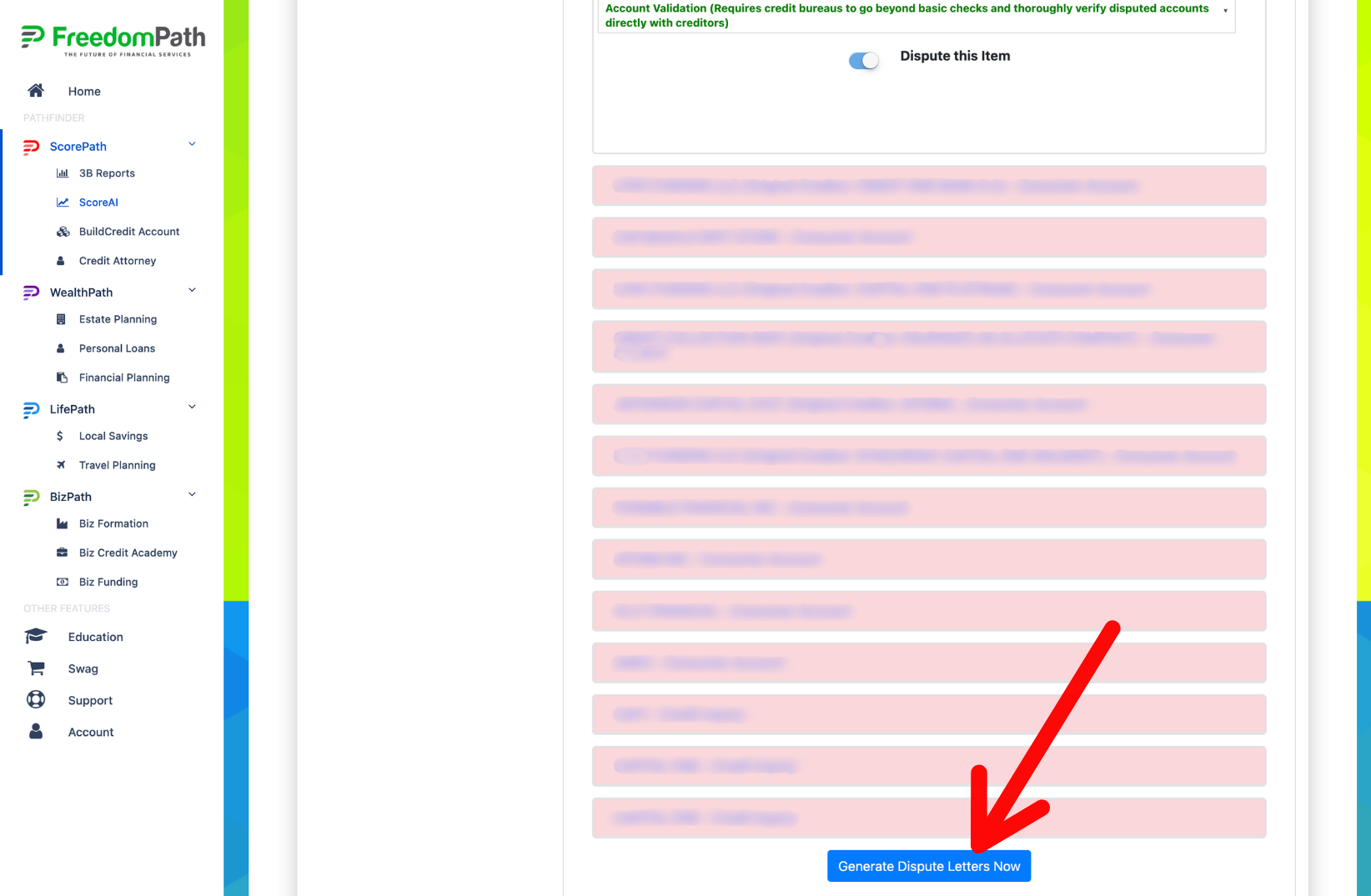
Click on the pink highlighted lines to open the details about that account.
IMPORTANT: Don't dispute an item simply because it's negative or affecting your credit score. Only challenge information when you have a legitimate reason to believe something about the reporting is incorrect or should otherwise be investigated.
Step 3: Select The Items You Want to Challenge
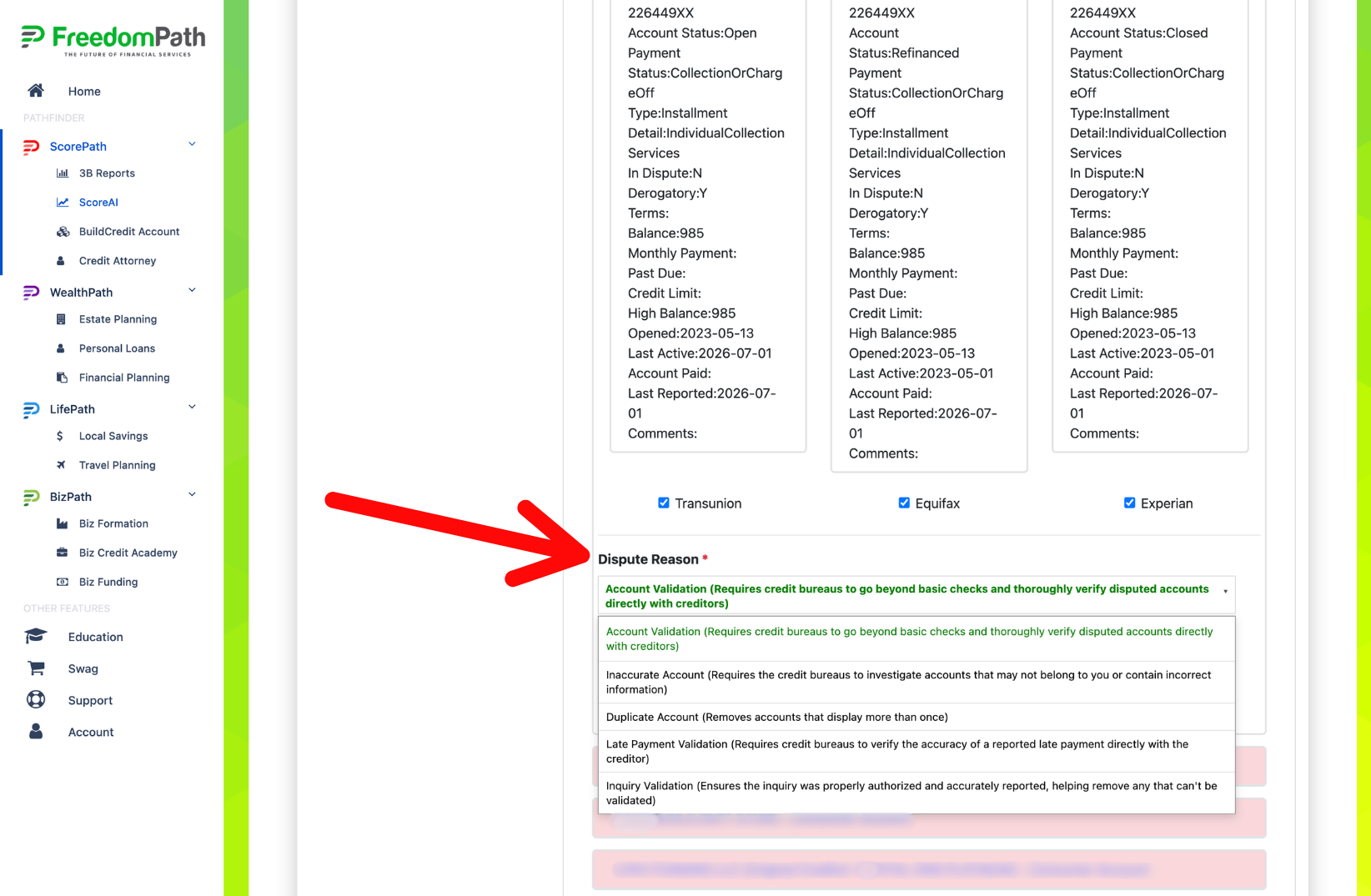
When you identify an item you have a legitimate reason to challenge, select the account and review the dispute options provided by ScoreAI.
The system may provide a recommended dispute reason.
Review the reason before selecting it and make sure it accurately describes why you are challenging the information.
You'll also be able to review which credit bureaus are reporting the item.
Step 4: Click Dispute This Item
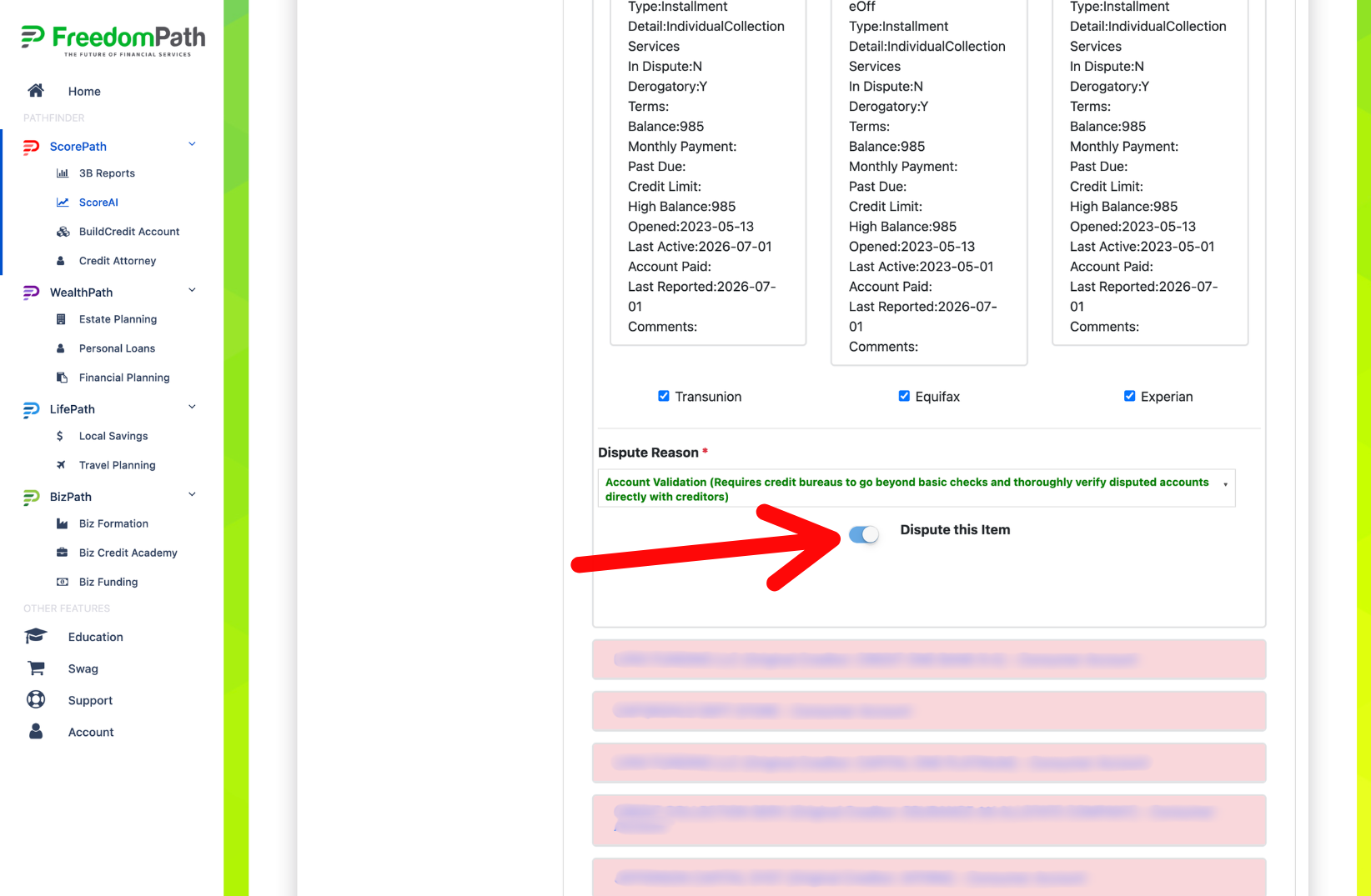
When you're ready to include the item in your dispute, click:
Dispute This Item
Repeat this process for each applicable item you want to challenge.
Step 5: Review Your Selections
Before continuing, take one final look at the items you've selected.
Make sure:
- You recognize each item you've selected.
- You understand why you're challenging it.
- The dispute reason accurately reflects your concern.
- You've selected the appropriate credit bureau or bureaus.
Once you're satisfied with your selections, click the blue Generate Dispute Letters Now button
ScoreAI will prepare your dispute letters based on the information you've selected. Your credit analysis is complete and your dispute letters have been generated.


© 2026 DIY Credit Boost System | Privacy Policy | Terms & Conditions | Refund Policy | Earnings Disclaimer | Get A Website Like This | Login