
Review & Send Your Dispute Letters
You've completed your credit analysis and generated your dispute letters. Now it's time to review them and choose how you'd like to send them.
Follow the steps below to complete your first dispute round.
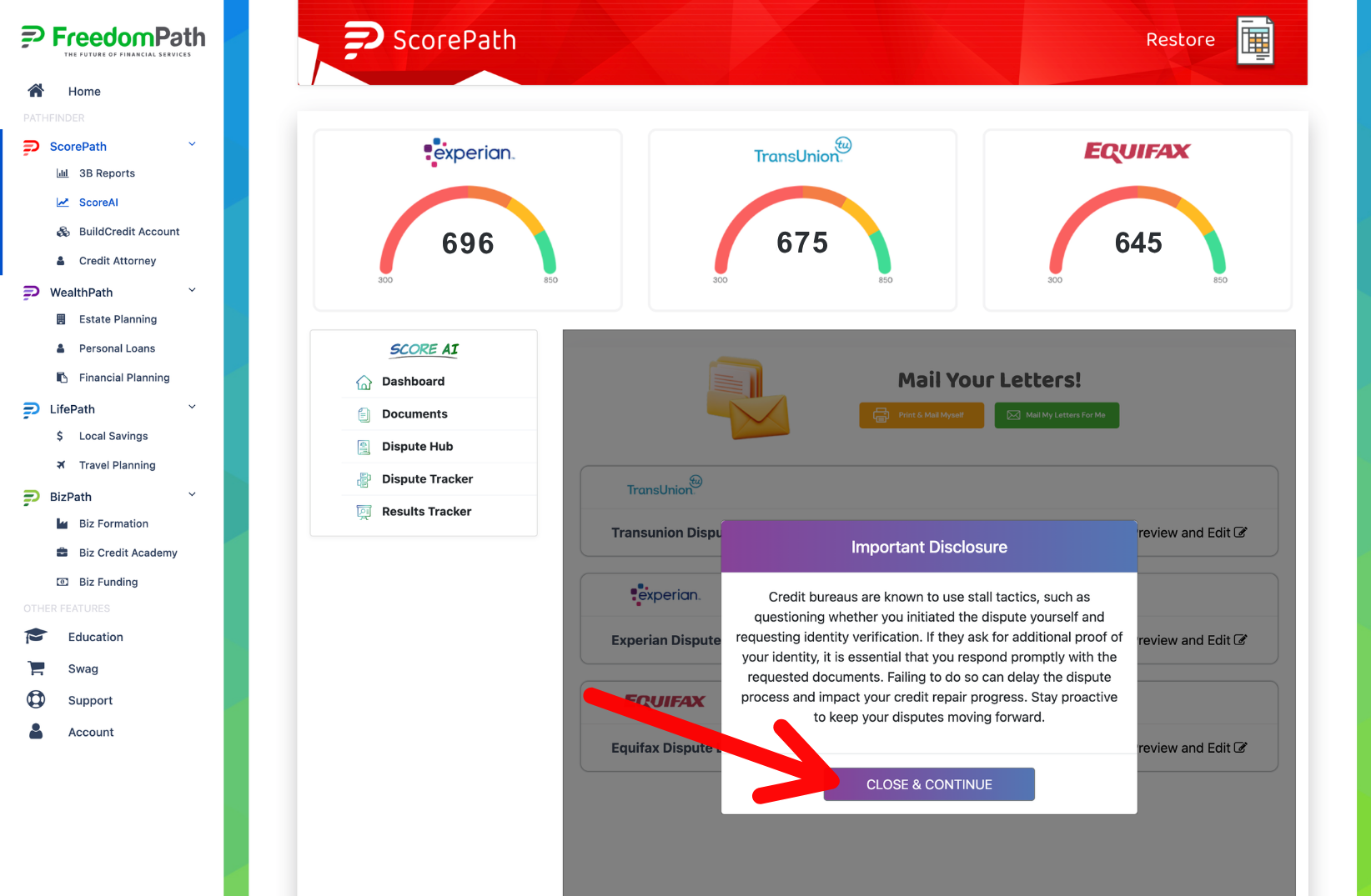
Step 1: Click Close & Continue
Read the disclosure statement and click the purple Close & Continue button.
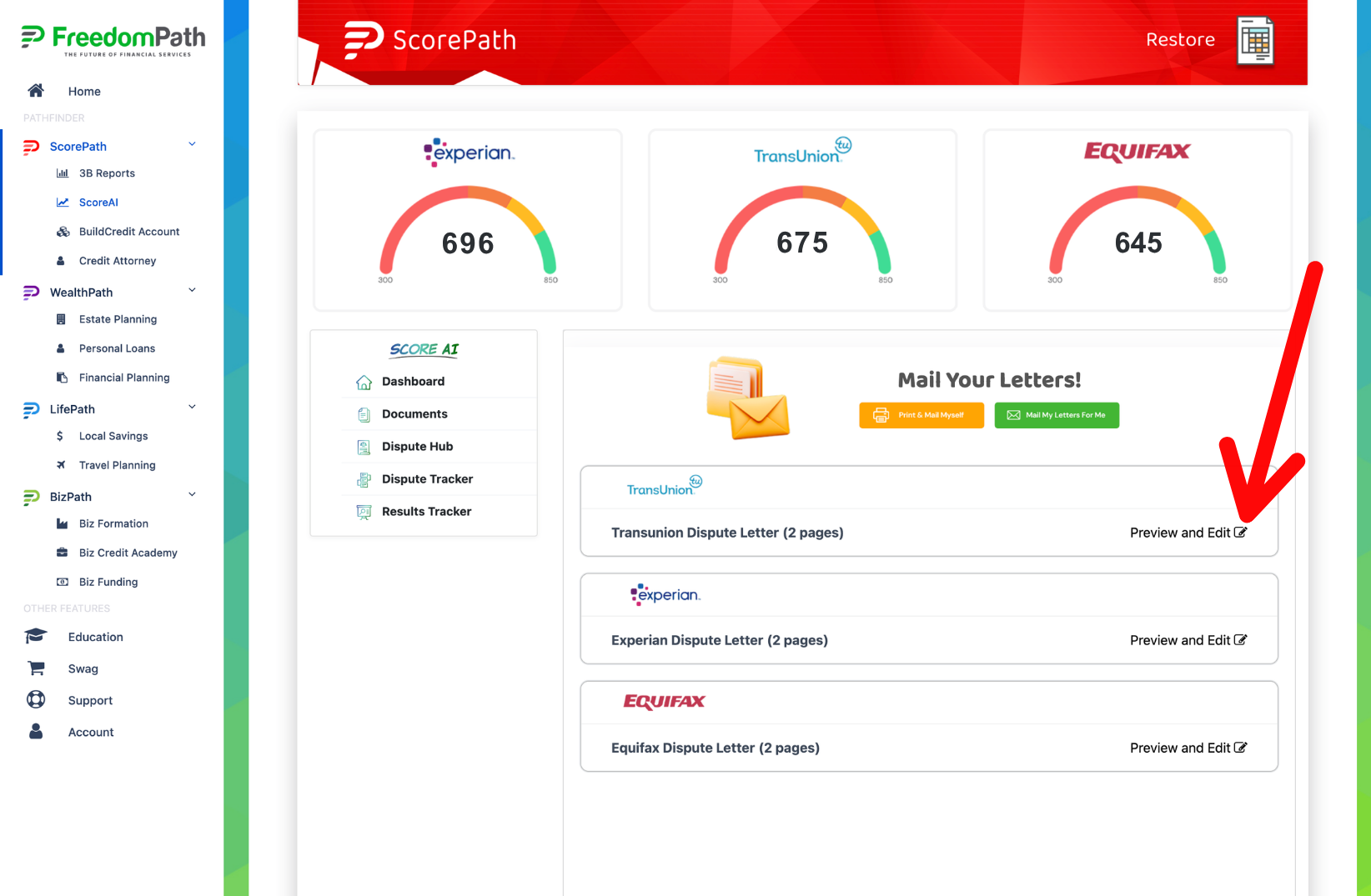
Step 2: Review Your Dispute Letters
To review and edit your dispute letters, click the Preview and Edit button on each Credit Bureau displayed.
Don't rush through this step. These letters are being sent on your behalf, so you should understand what you're disputing and make sure the information is accurate.
Before sending anything, review the dispute letters generated by ScoreAI.
Make sure your personal information is correct and that the letters reflect the items and concerns you selected during your credit analysis.
Step 3: Review & Edit
Once you review the letter and make your edits if needed, click the blue Save & Close button.
You have 2 options for sending your dispute letters:
- Print & Mail Them Yourself
- Mail Letters For Me
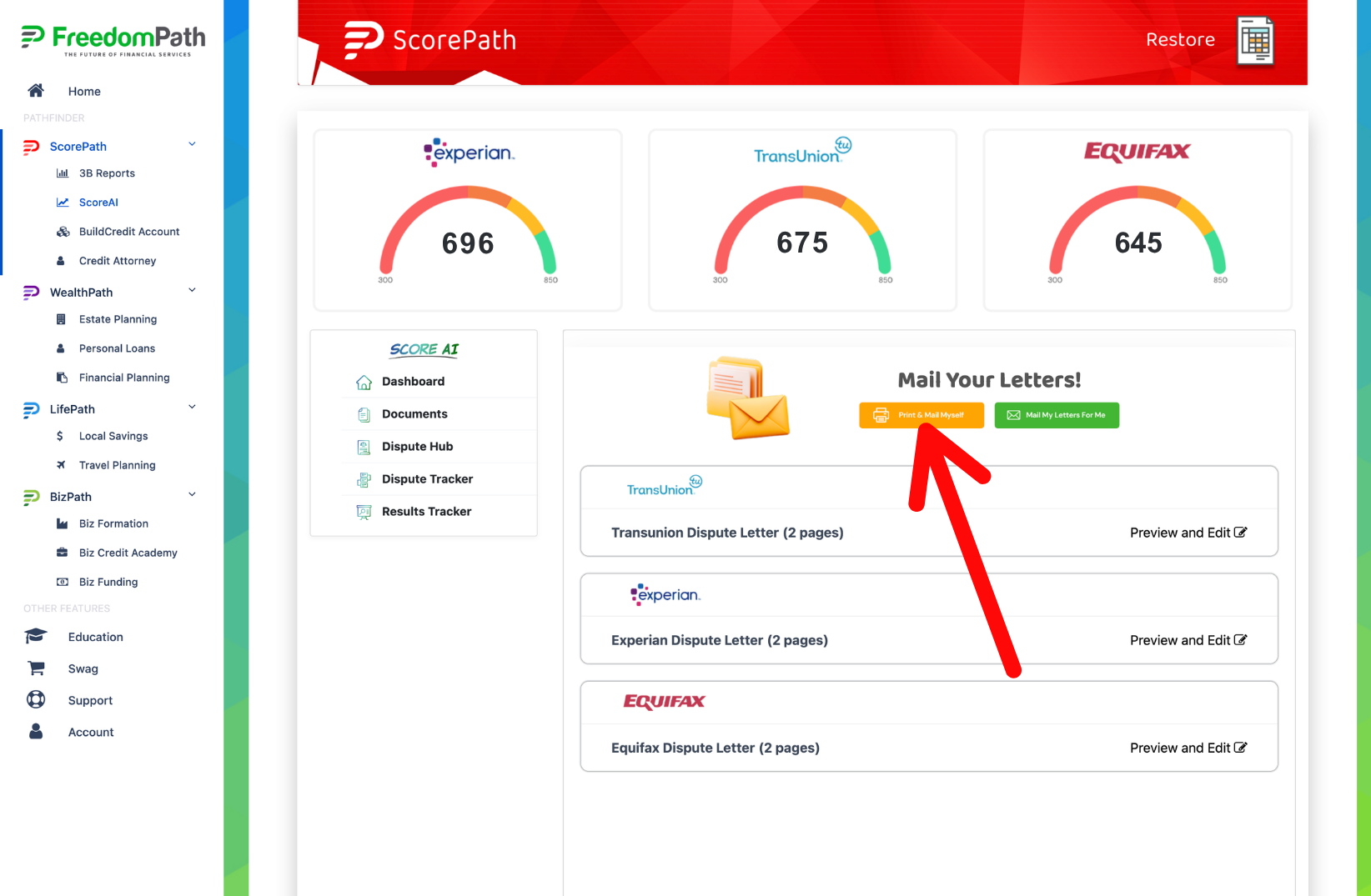
Option 1: Print & Mail Yourself
You can download and print your letters and mail them directly to the appropriate credit bureaus.
For your first round, you may also choose to physically sign your letters before mailing them.
If you're mailing the letters yourself, consider using a mailing method that provides tracking or proof of delivery.
Be sure to keep copies of your letters and mailing information for your records.
Click the yellow Print & Mail Yourself button.
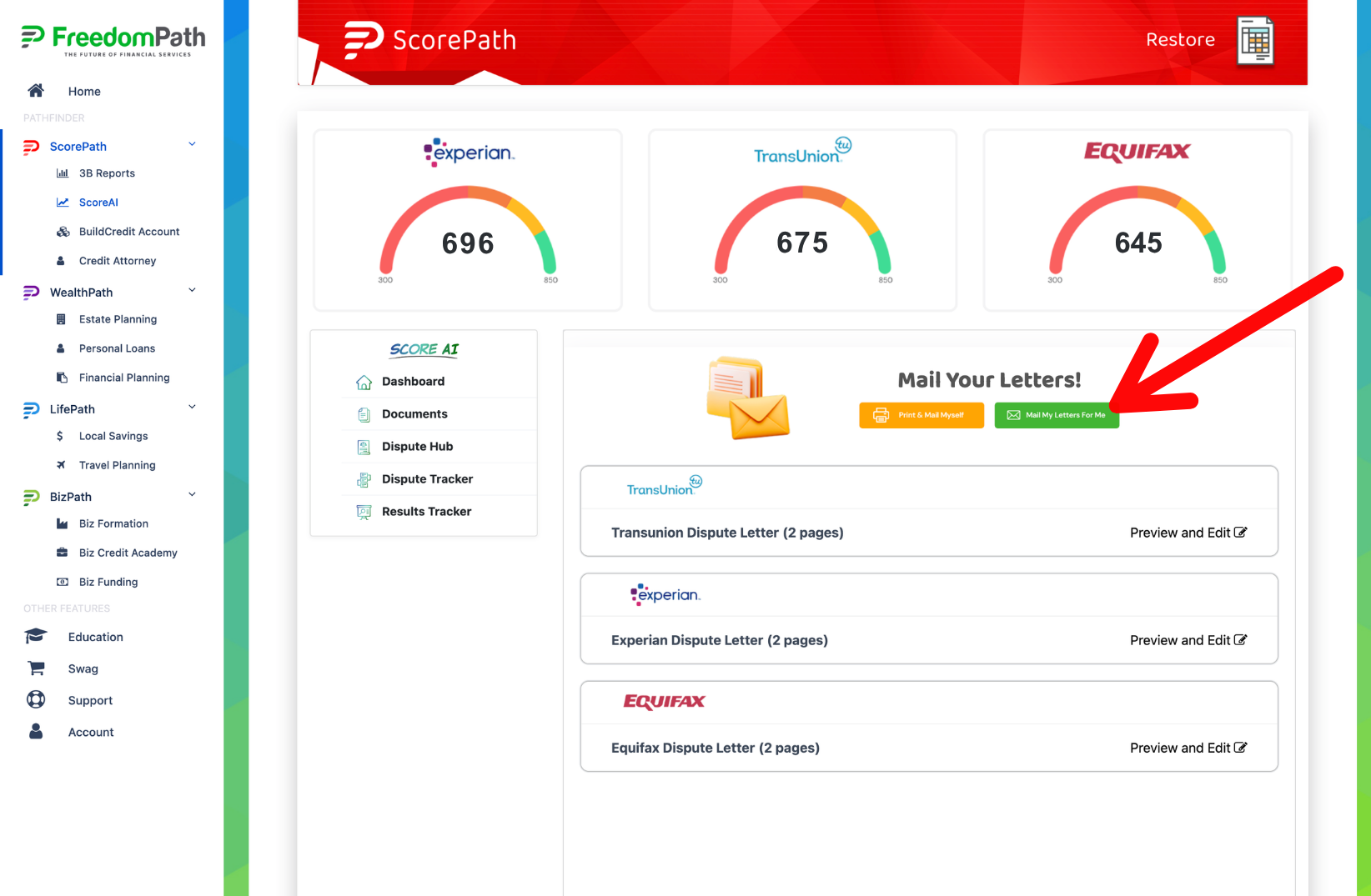
Option 2: Mail My Letters For Me
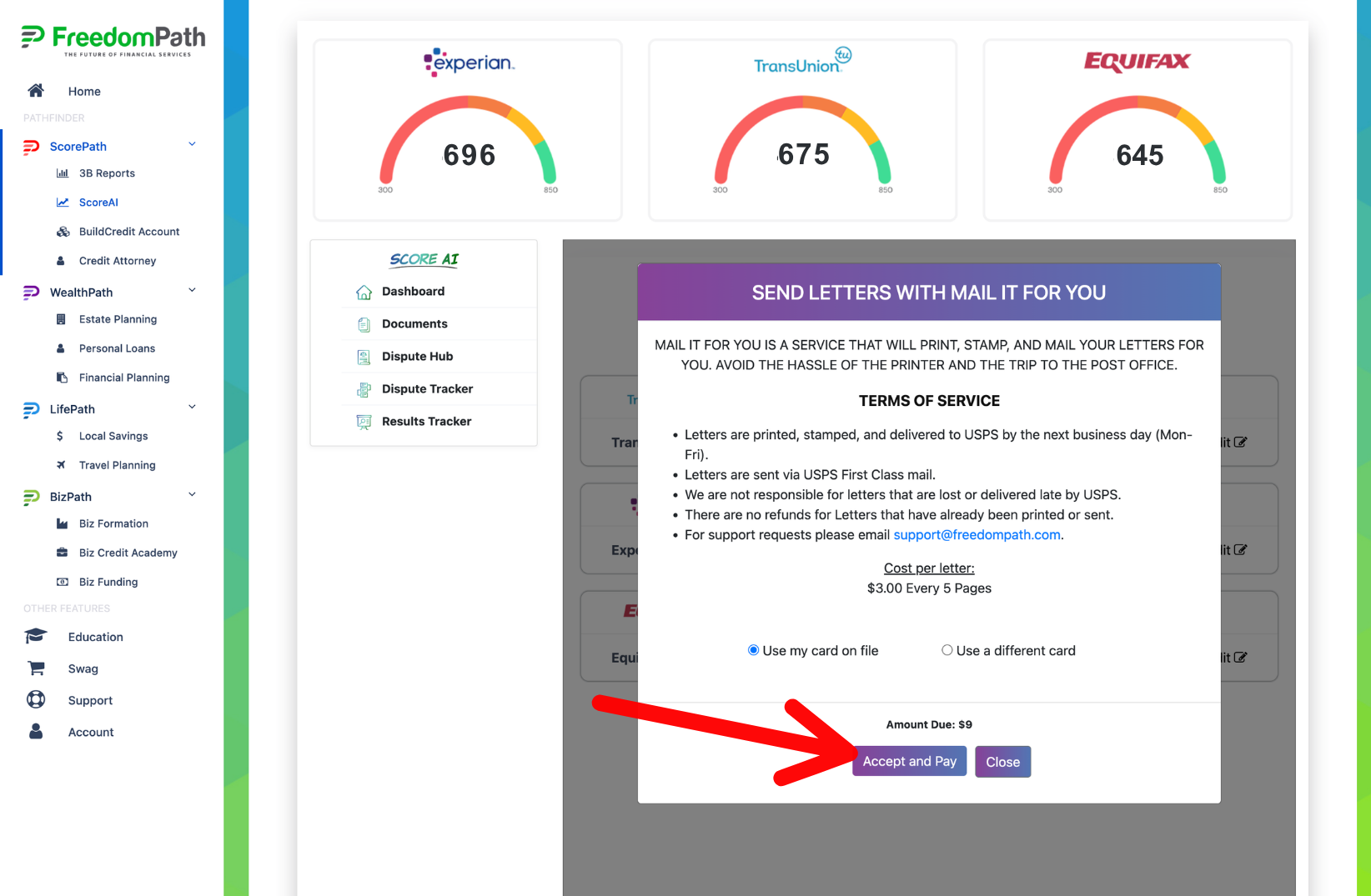
Choosing this option comes with a minimal charge for the system to send out the letters for you. The cost per letter is $3 every 5 pages.
Click the green Mail My Letters For Me button.
Select your payment information and click the purple Accept and Pay button.
Step 4: Save Your Records
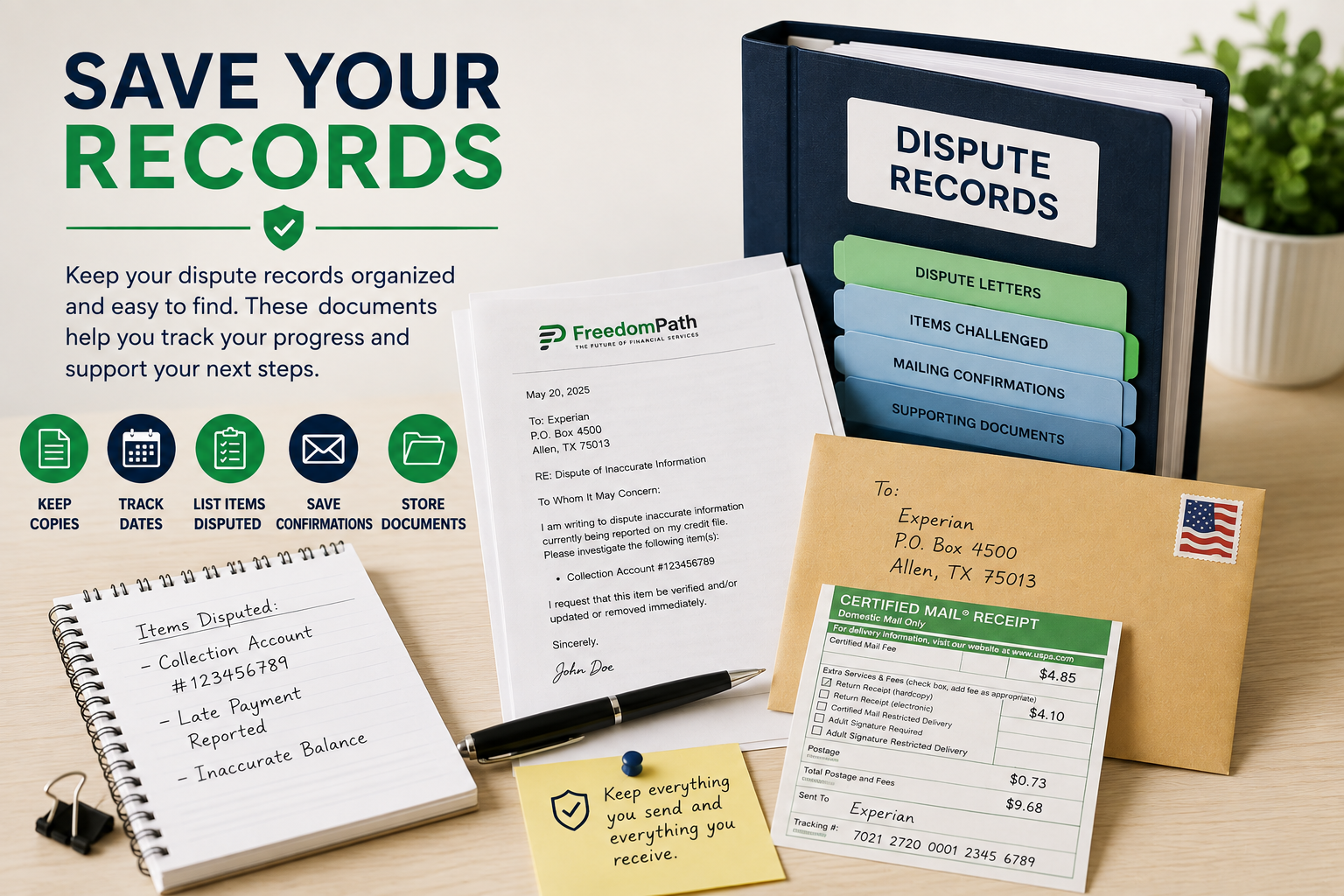
Once your letters have been sent, keep a record of your first dispute round.
Save:
- Copies of your dispute letters
- The date your letters were sent
- The items you challenged
- Mailing or tracking confirmations, if available
- Any supporting documents you submitted
Don't delete or throw away this information.
It can become important when you're reviewing the results of your disputes and determining what to do next.
Step 5: Watch for the Credit Bureau Responses
Once your disputes have been submitted, watch your mail and email carefully.
A credit bureau may send you:
- Results of its investigation
- Updated credit-report information
- A request to verify your identity
- A request for additional documentation
- Other information concerning your dispute
If you're asked to provide additional information or verify your identity, review the request and respond promptly when appropriate.
Keep copies of any correspondence you receive.
Your First Dispute Round Is Underway!
You've completed the initial dispute process. Now it's time to allow the investigation process to take place and monitor what happens next.


© 2026 DIY Credit Boost System | Privacy Policy | Terms & Conditions | Refund Policy | Earnings Disclaimer | Get A Website Like This | Login