
Import Your Credit Reports
Now that you've ordered your credit reports, it's time to connect them to your Freedom Wealth account.
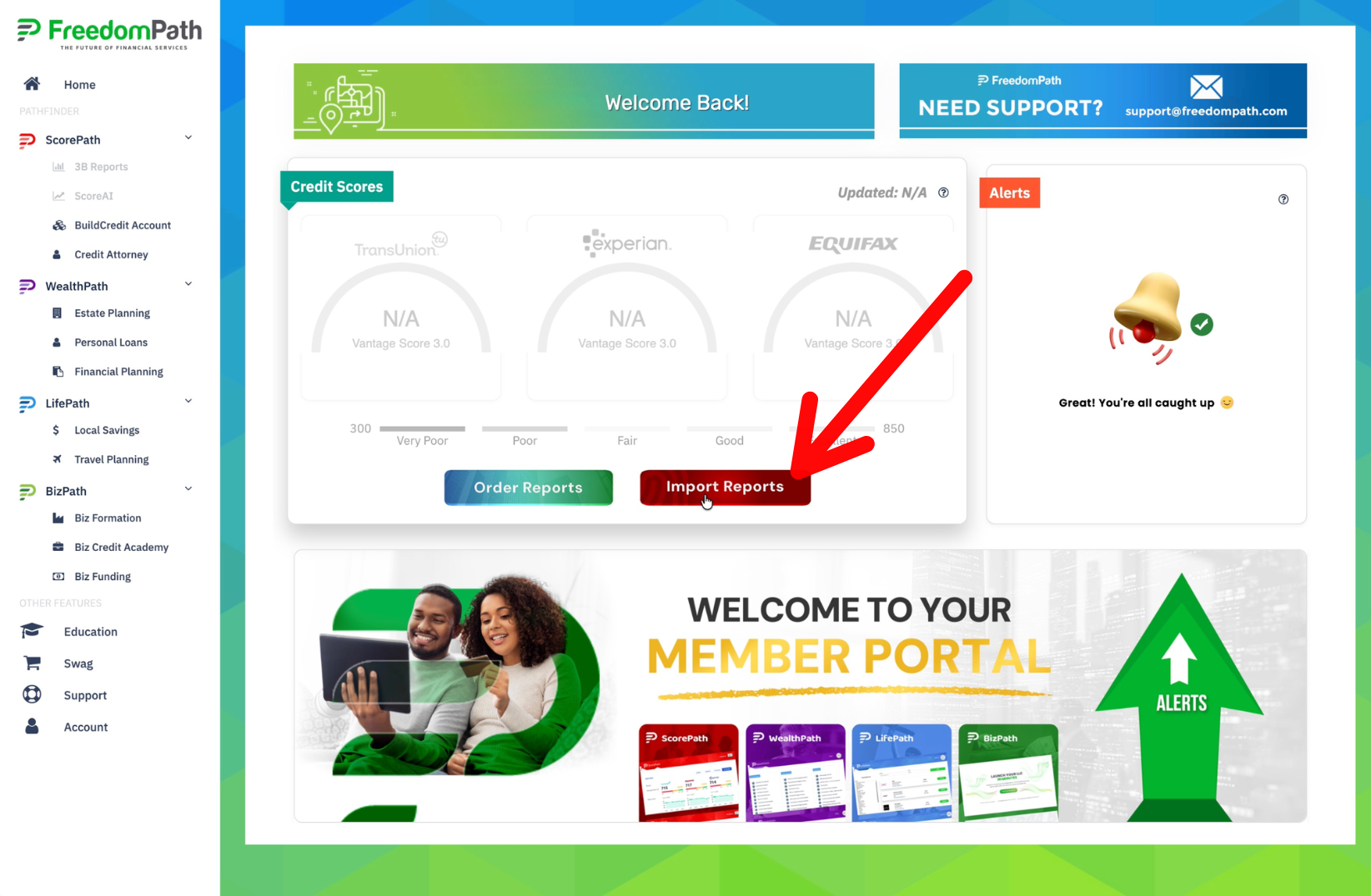
Step 1: Click Import Reports
You're ready to connect your reports. Go back to your Freedom Wealth dashboard. This time, click the red Import Reports button.
Step 2: Login to ID Club
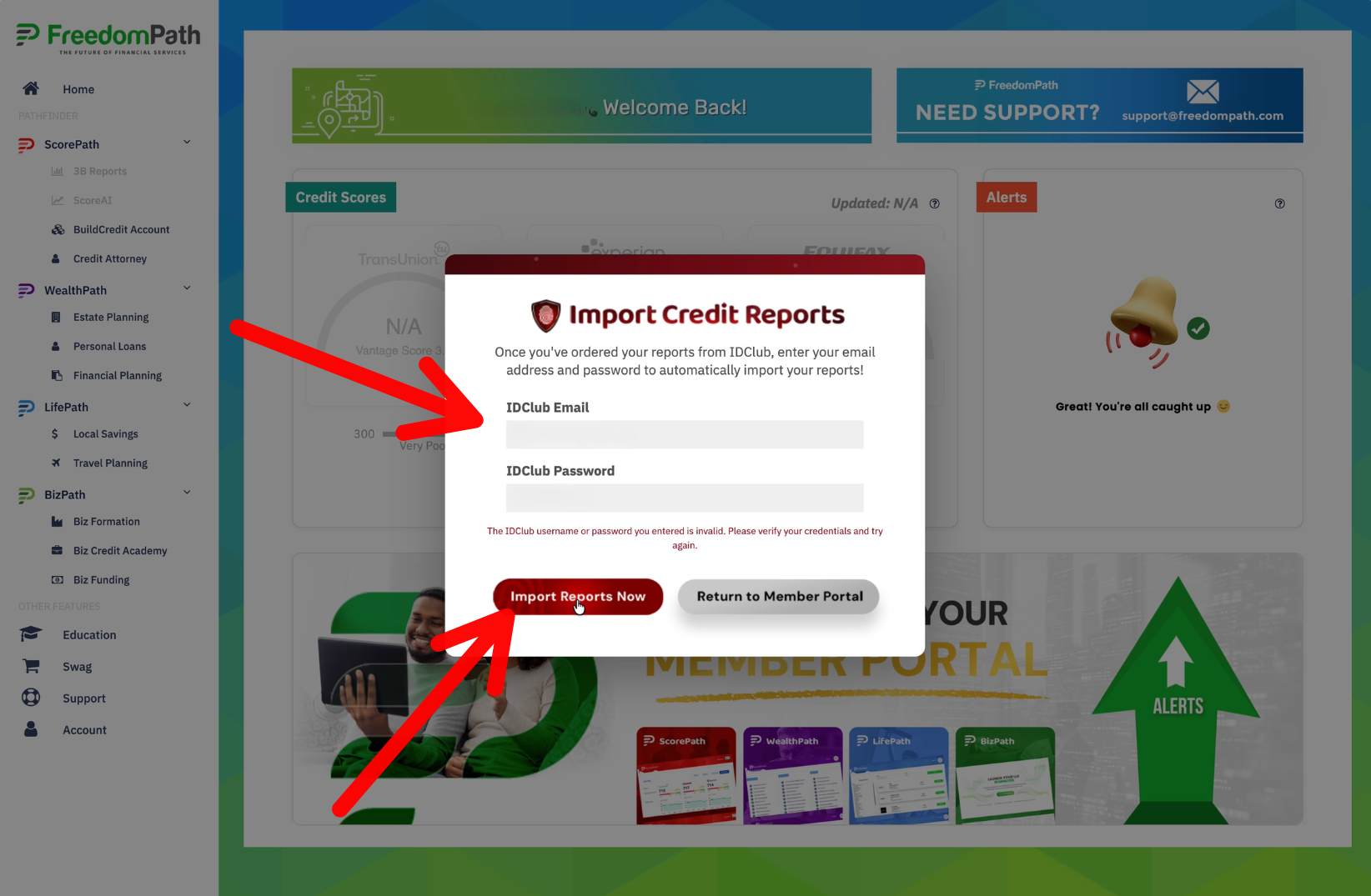
You'll be asked for the login credentials you just created for ID Club.
Enter your:
ID Club Email
ID Club Password
Then click the red Import Reports Now button.
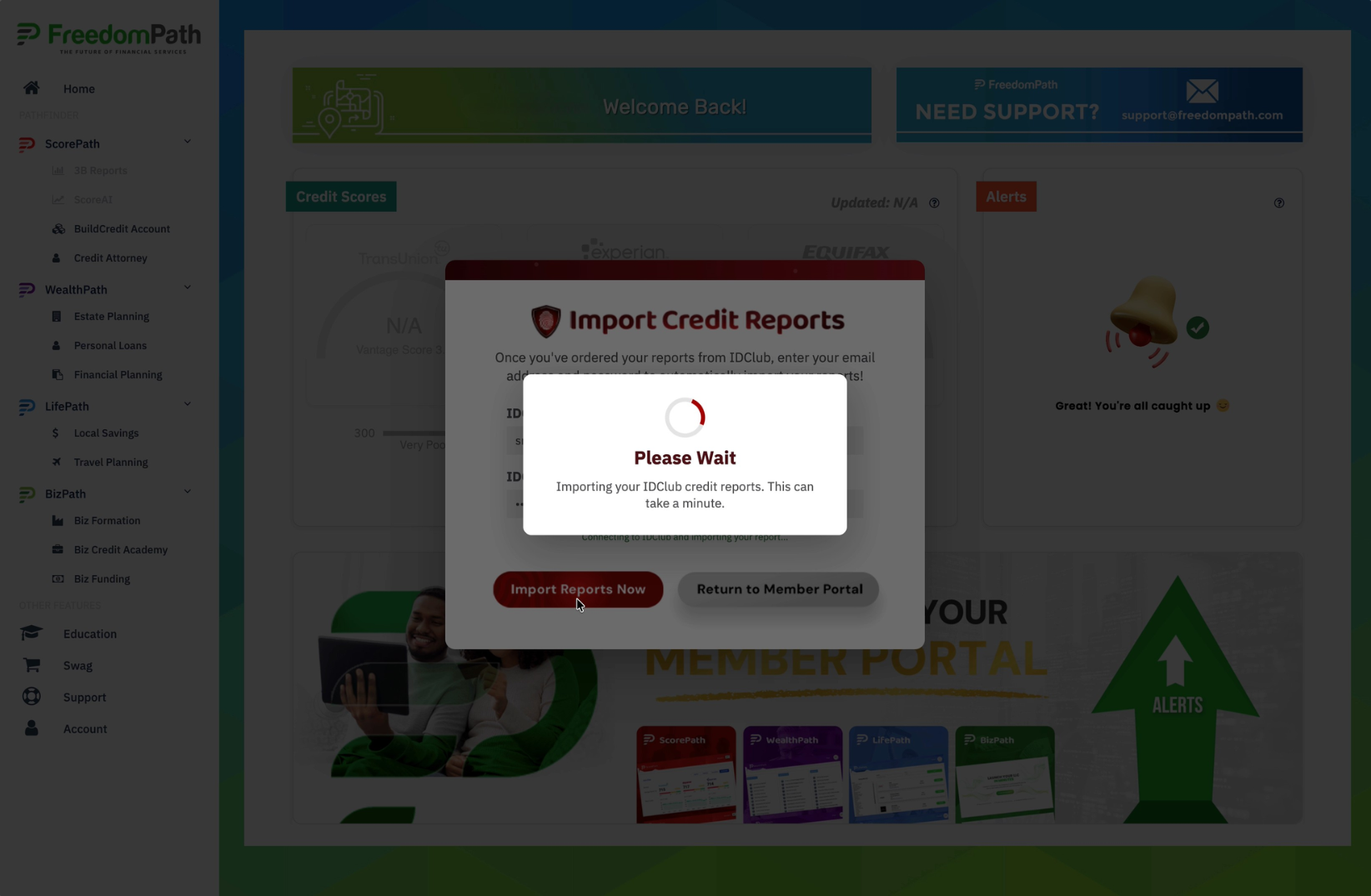
Step 3: Wait For Your Reports To Be Imported
Freedom Wealth will retrieve your credit report information from ID Club and import it into the system. Please allow a minute for your Credit Reports to be imported into the system.
Once the import is complete, you should be able to see your credit information inside your dashboard.
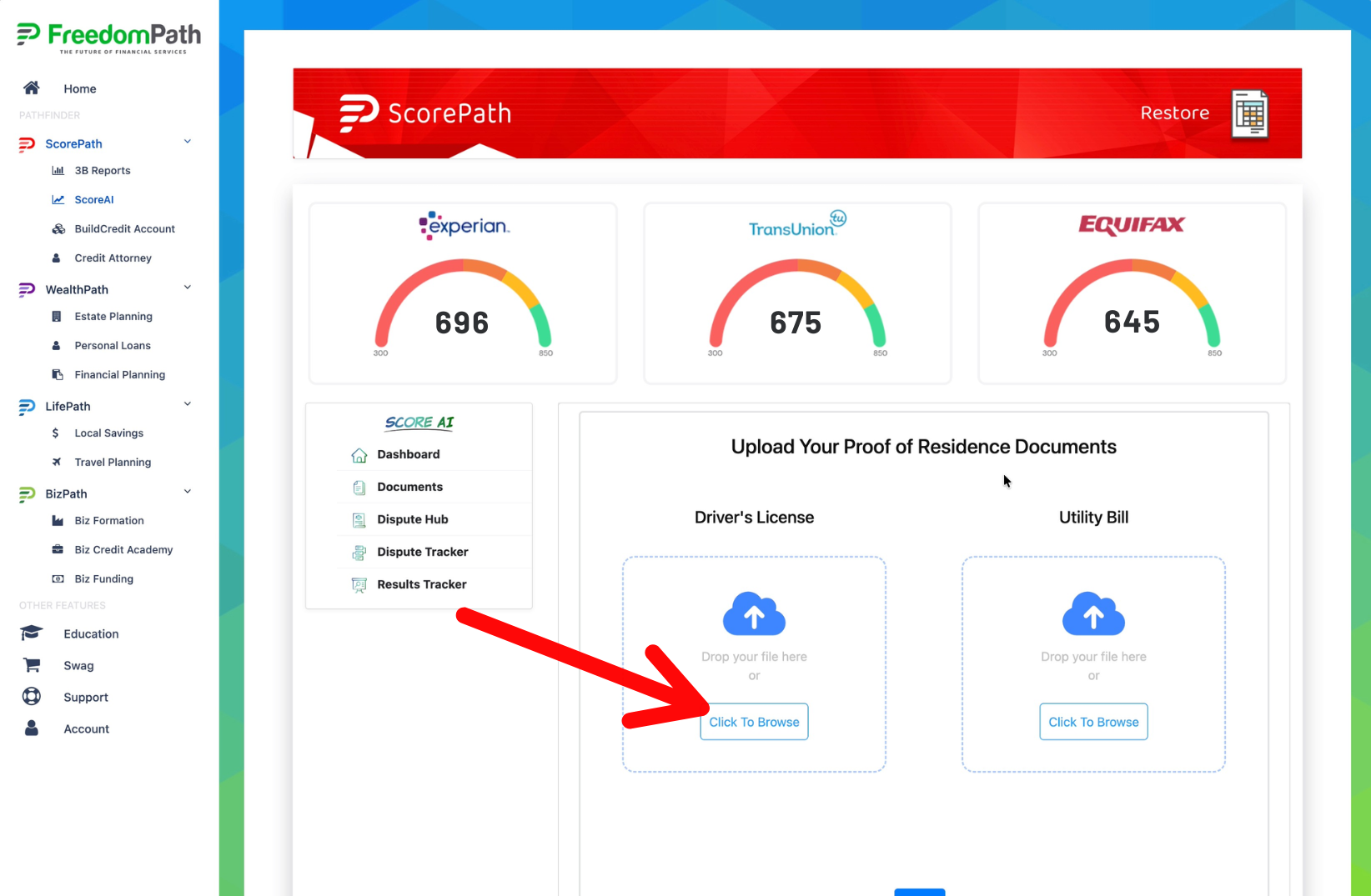
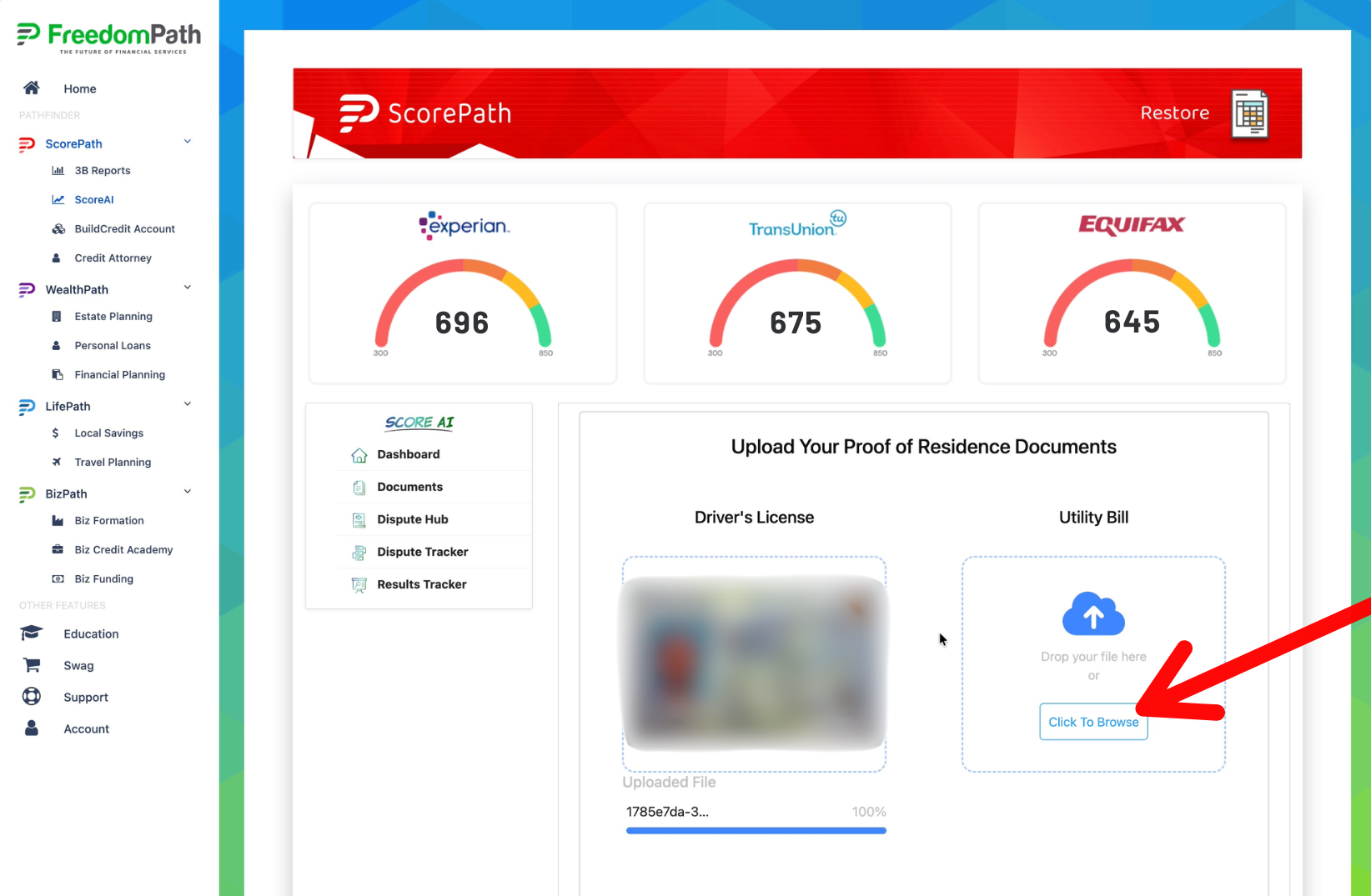
Step 4: Upload Your Driver's License
Congratulations! Your credit reports are now connected! Before you can generate disputes, we need to verify your information.
You can complete this on the page you are on right now. You can also upload documents by going to the documents area.
You'll need these two types of documents for your disputes:
- A copy of your driver's license
- A copy of a utility bill
IMPORTANT FILE FORMAT:
These documents need to be uploaded in JPEG/JPG/PNG format. If your document won't upload, check the file type first and retry.
Click Click to Browse to upload your driver's license image.
Step 5: Upload A Utility Bill
Now that your driver's license is uploaded, let's upload a copy of a utility bill.
Click Click to Browse to upload your utility bill image.
Step 6: Save The Images
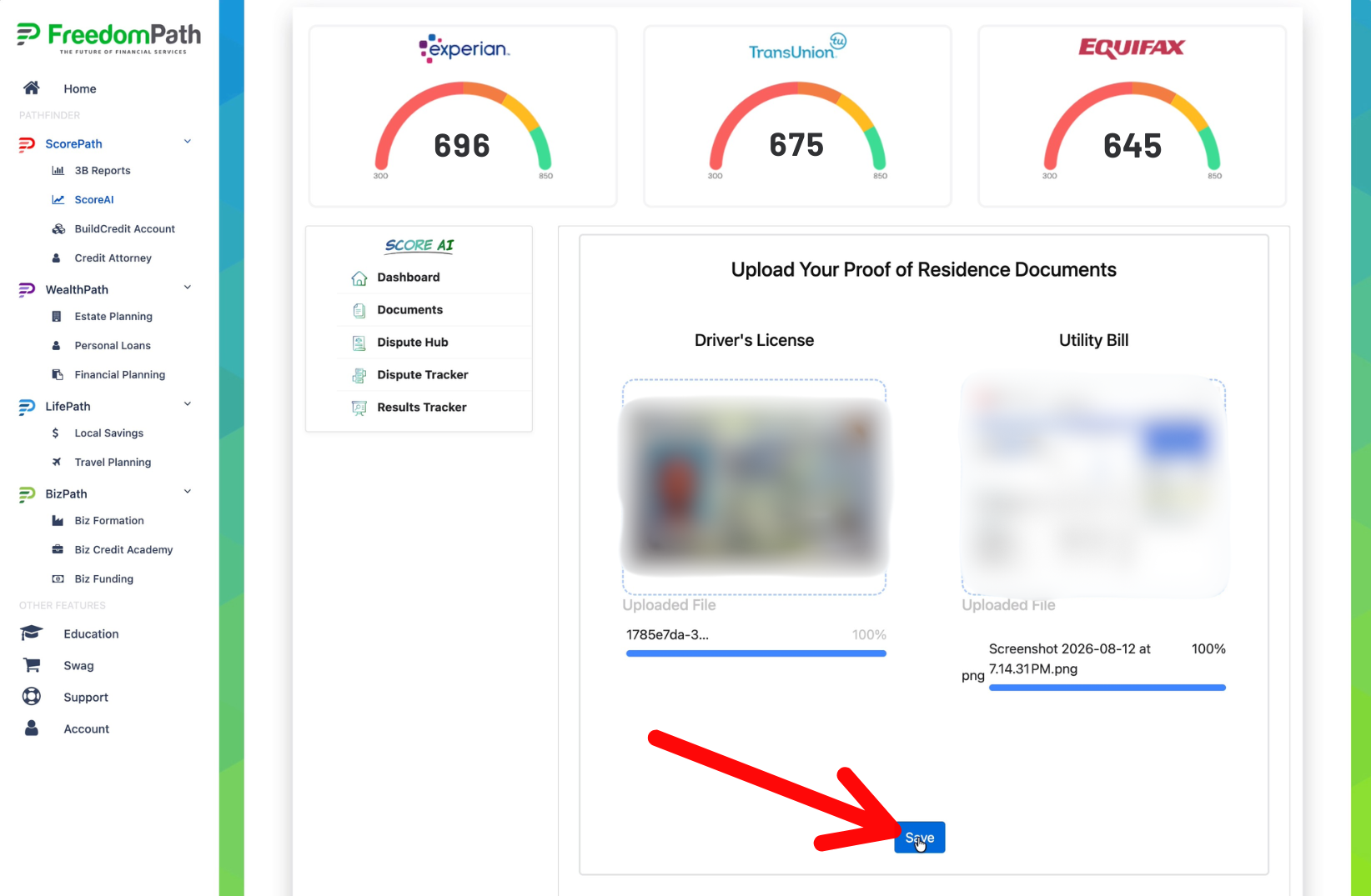
Now that both files have been uploaded successfully, Click the blue SAVE button.
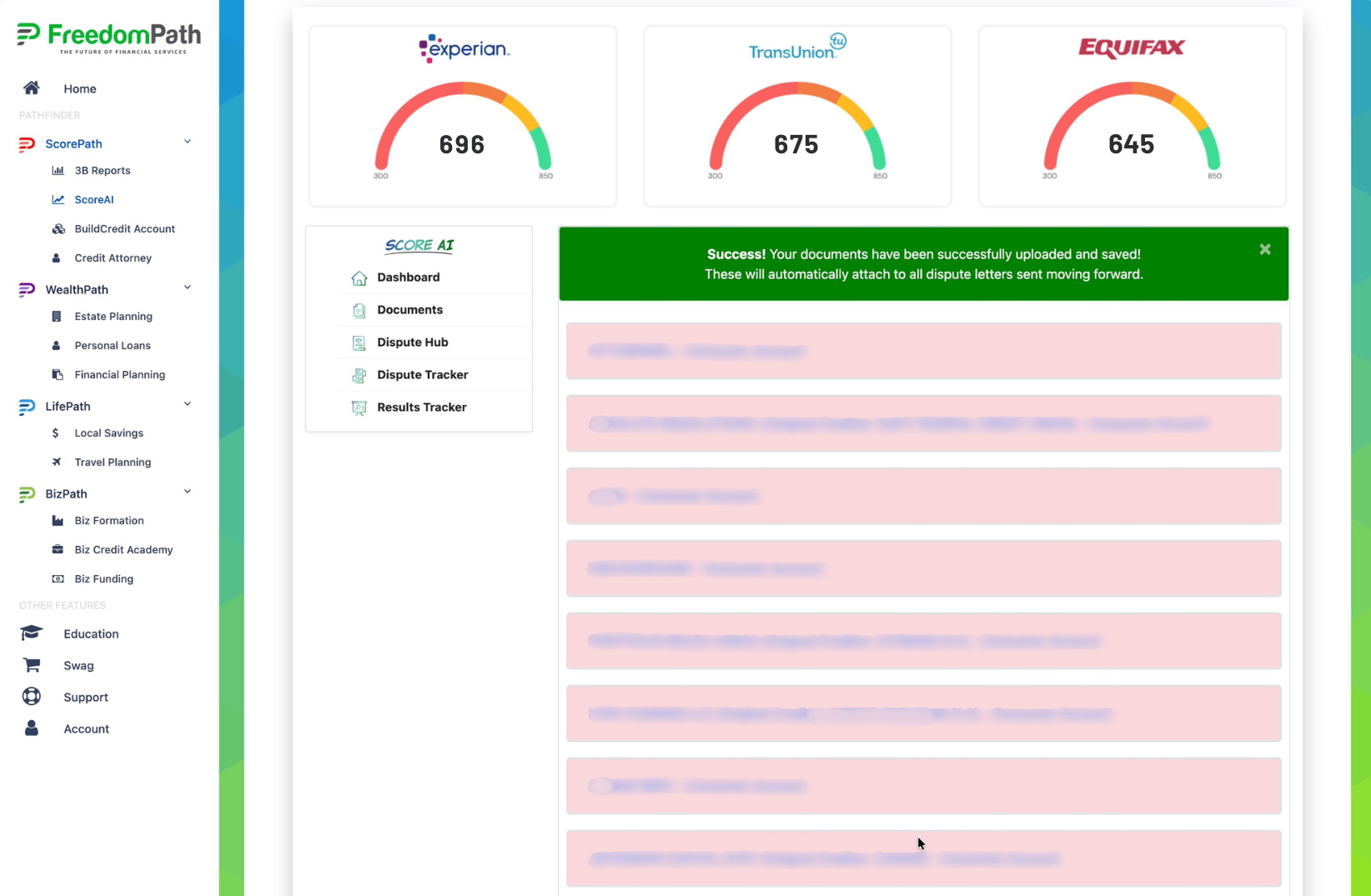
Step 7: Your Documents Have Been Saved
Perfect! All your documents have been uploaded.

© 2026 DIY Credit Boost System | Privacy Policy | Terms & Conditions | Refund Policy | Earnings Disclaimer | Get A Website Like This | Login