
Set Up Your Freedom Wealth Account
You've already taken the first step by becoming a member of Freedom Path. Now we'll walk you through getting your account activated, connecting your credit reports, completing your credit analysis, and getting started with the dispute process.This is all part of the DIY Credit Boost System.
Don't worry, we'll walk you through everything one step at a time.
Step 1: Go to Freedom Path
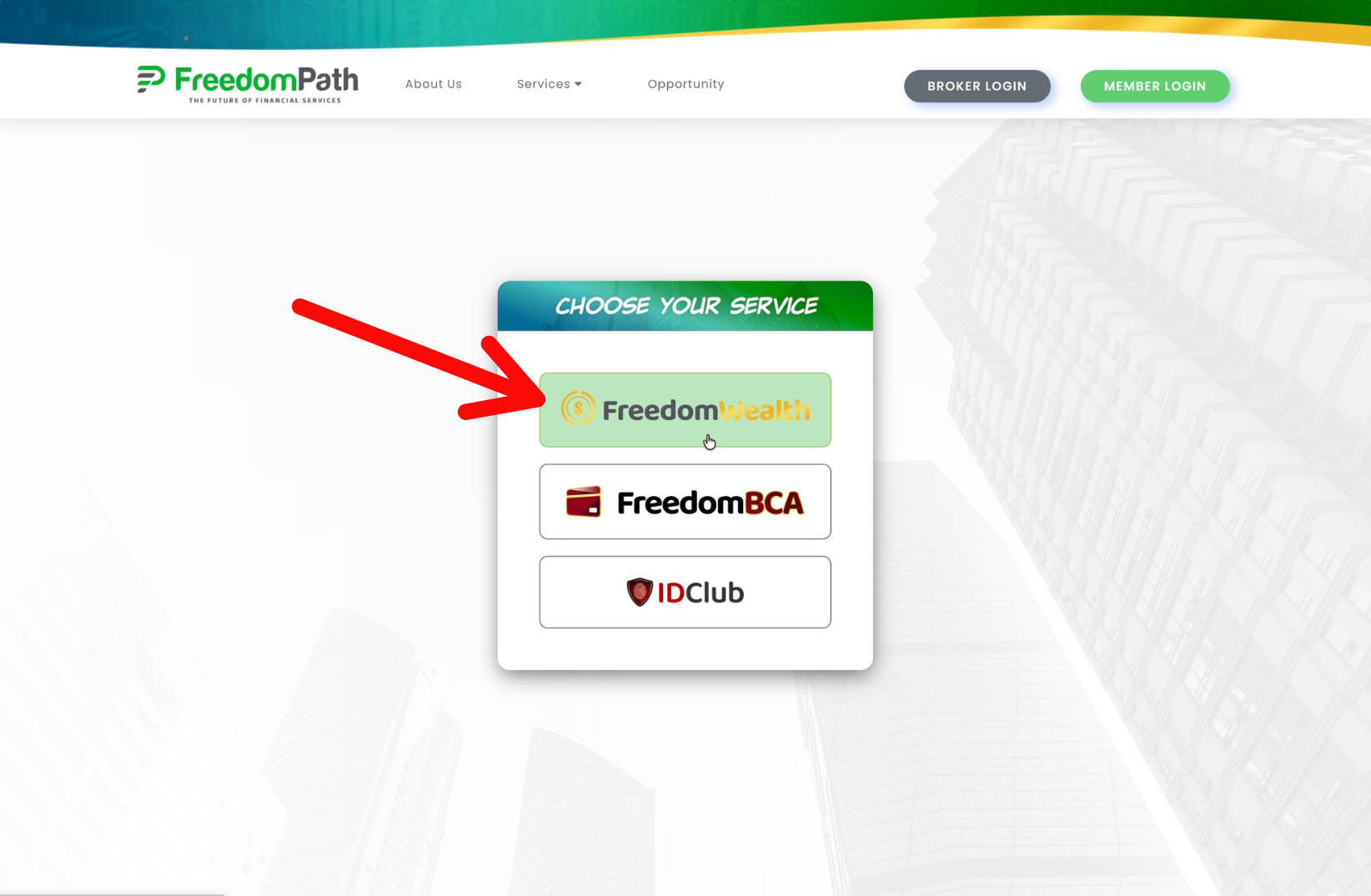
Go to https://freedompath.com/ to login.
Click the green Member Login.
Then, click Freedom Wealth.
Step 2: Login to Freedom Wealth
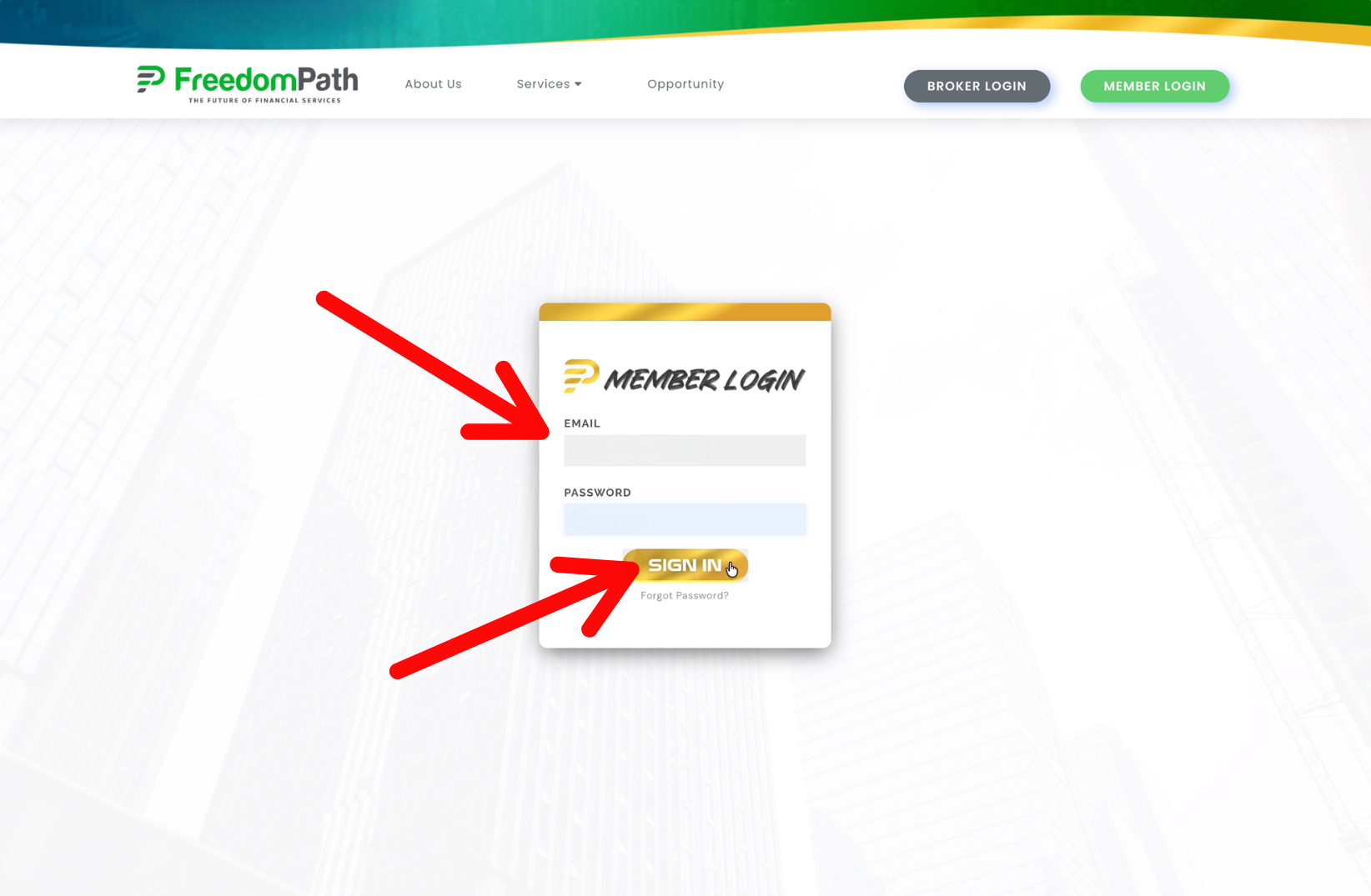
Use your email and password that you created when you enrolled. You should see your login credentials inside your email inbox. Enter your login credentials and click Sign In.
Step 3: Click Order Reports
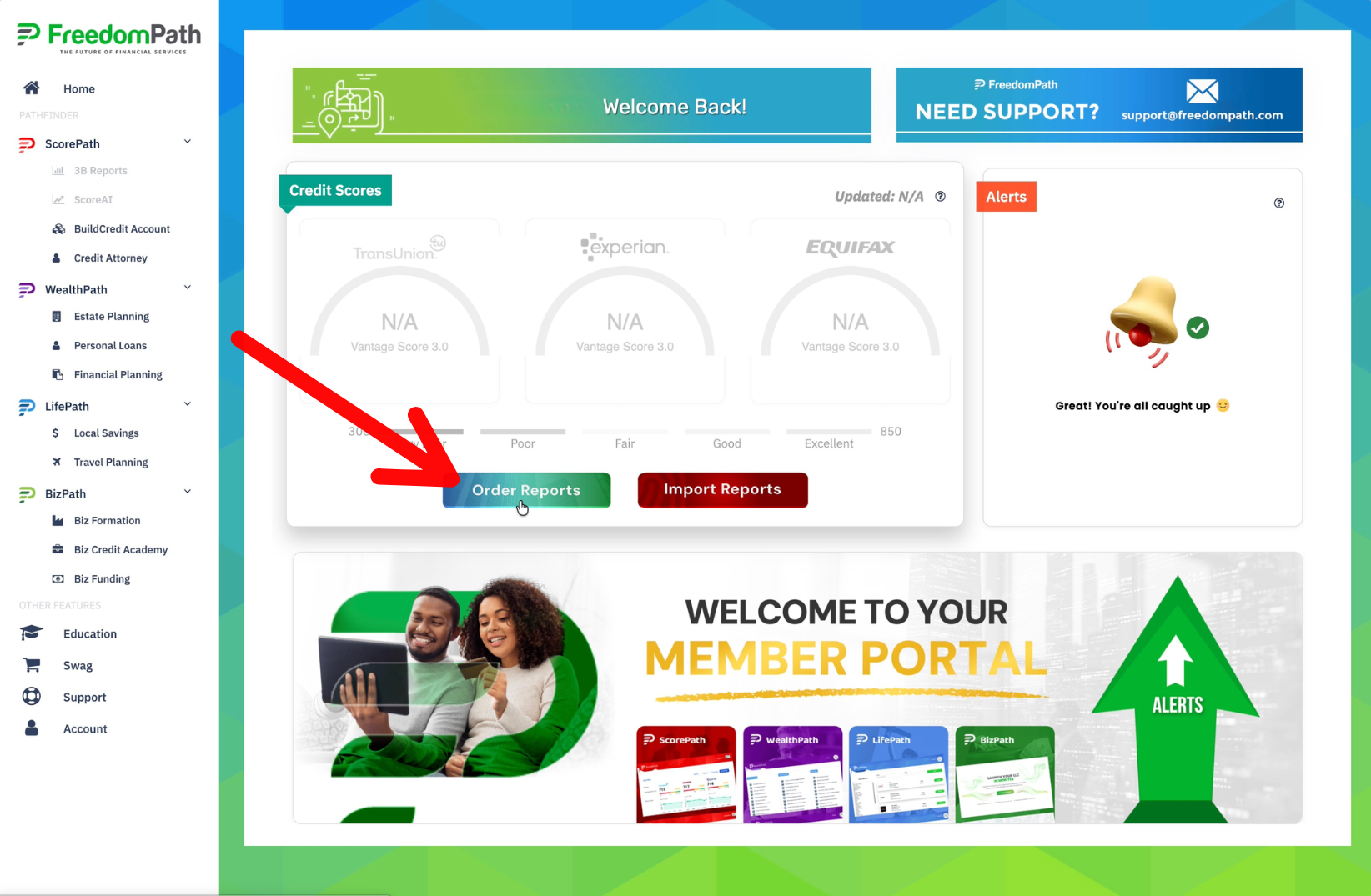
Inside Freedom Wealth, you'll see two options: Order Reports and Import Reports.
Click the green Order Reports button.
This will take you to ID Club, the credit monitoring service used to provide the credit-report information needed by the system. Initially your Credit Scores will be greyed out until you acquire your reports and import them into the system.

© 2026 DIY Credit Boost System | Privacy Policy | Terms & Conditions | Refund Policy | Earnings Disclaimer | Get A Website Like This | Login